Check
Embedded Payroll for Platforms
Product Design, Design System
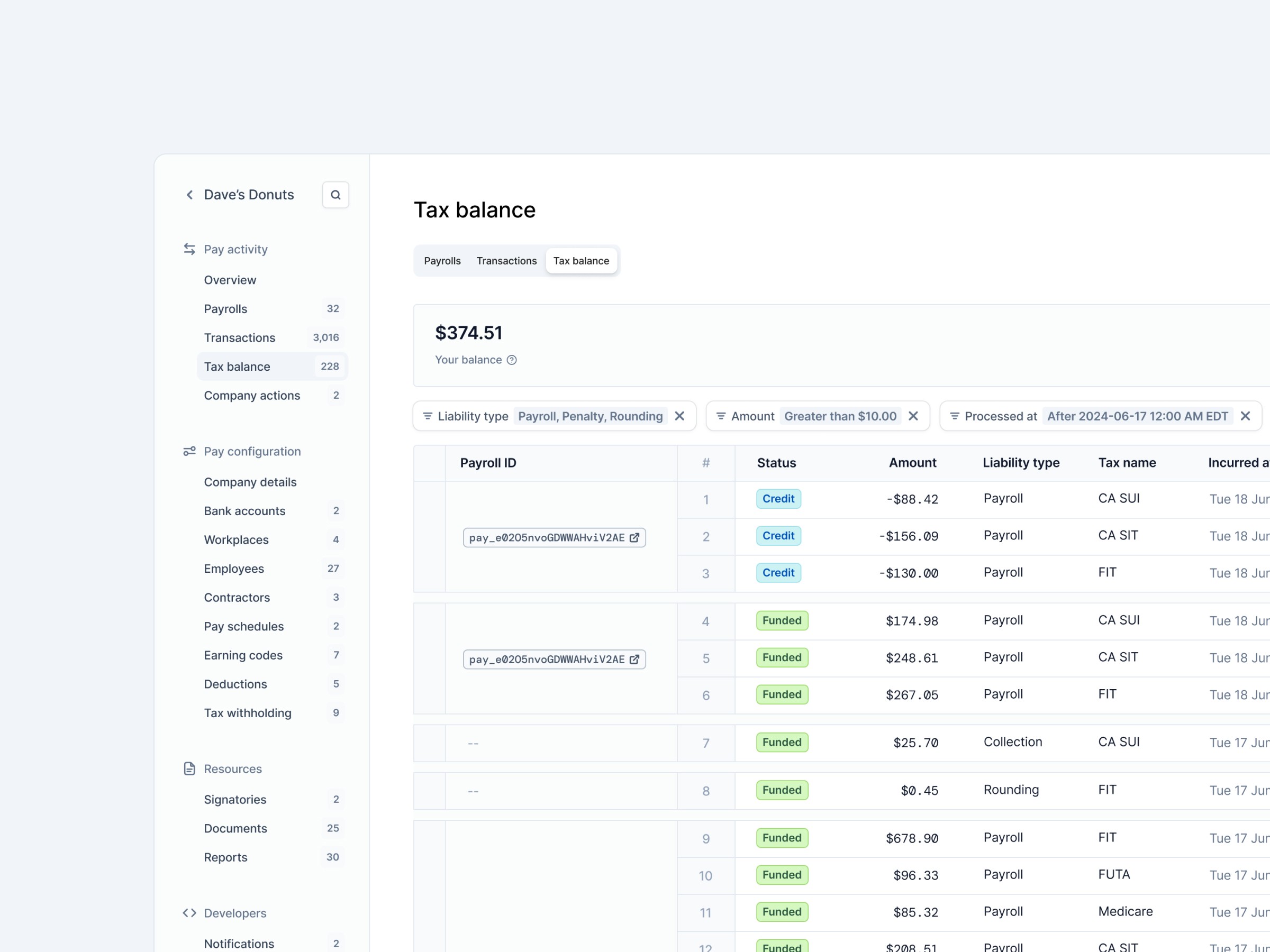
Overview
Check is a payroll-as-a-service platform that helps businesses automate payroll, taxes, and compliance in the U.S.
I joined as the second designer on the team to bring structure and clarity to a rapidly scaling product that was mostly designed by engineers before.
My main goal was to improve usability, unify the design language, and create solid UX foundations for both internal operations tools and customer-facing experiences.
The challenge
Check is a huge product — with internal tools, external dashboards, and dozens of interconnected systems.
Because it grew so fast, many parts were built before designers joined the team, which led to outdated patterns, visual inconsistencies, and occasional usability gaps.
The challenge wasn’t to “fix a broken product,” but to bring design maturity into a constantly evolving environment — while still keeping up with the pace of weekly releases.
On top of that, working from outside the U.S. added an extra layer of complexity. Payroll and tax systems are deeply domain-specific, and understanding the business logic was often as demanding as designing the interfaces themselves.
My focus areas
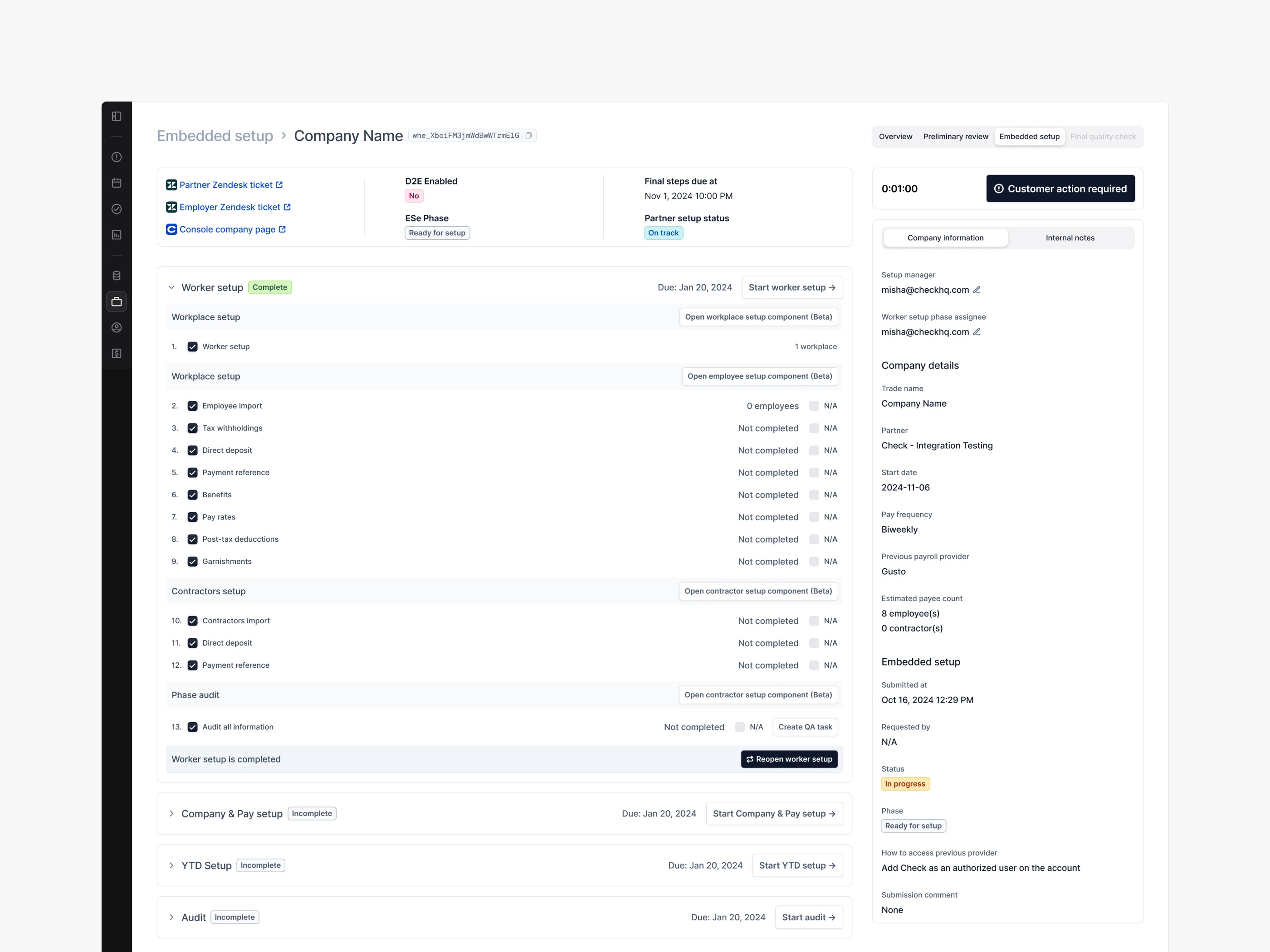
Admin — Internal setup platform
Admin is the tool Check’s internal teams use to onboard and configure new client companies. It’s a technical, high-stakes environment with lots of steps and dependencies.
I focused on improving clarity and navigation within multi-stage setup flows — such as company configuration, worker data import, tax setup, and audit.
We introduced a more modular, guided structure that helped ops teams complete setups faster and make fewer errors.
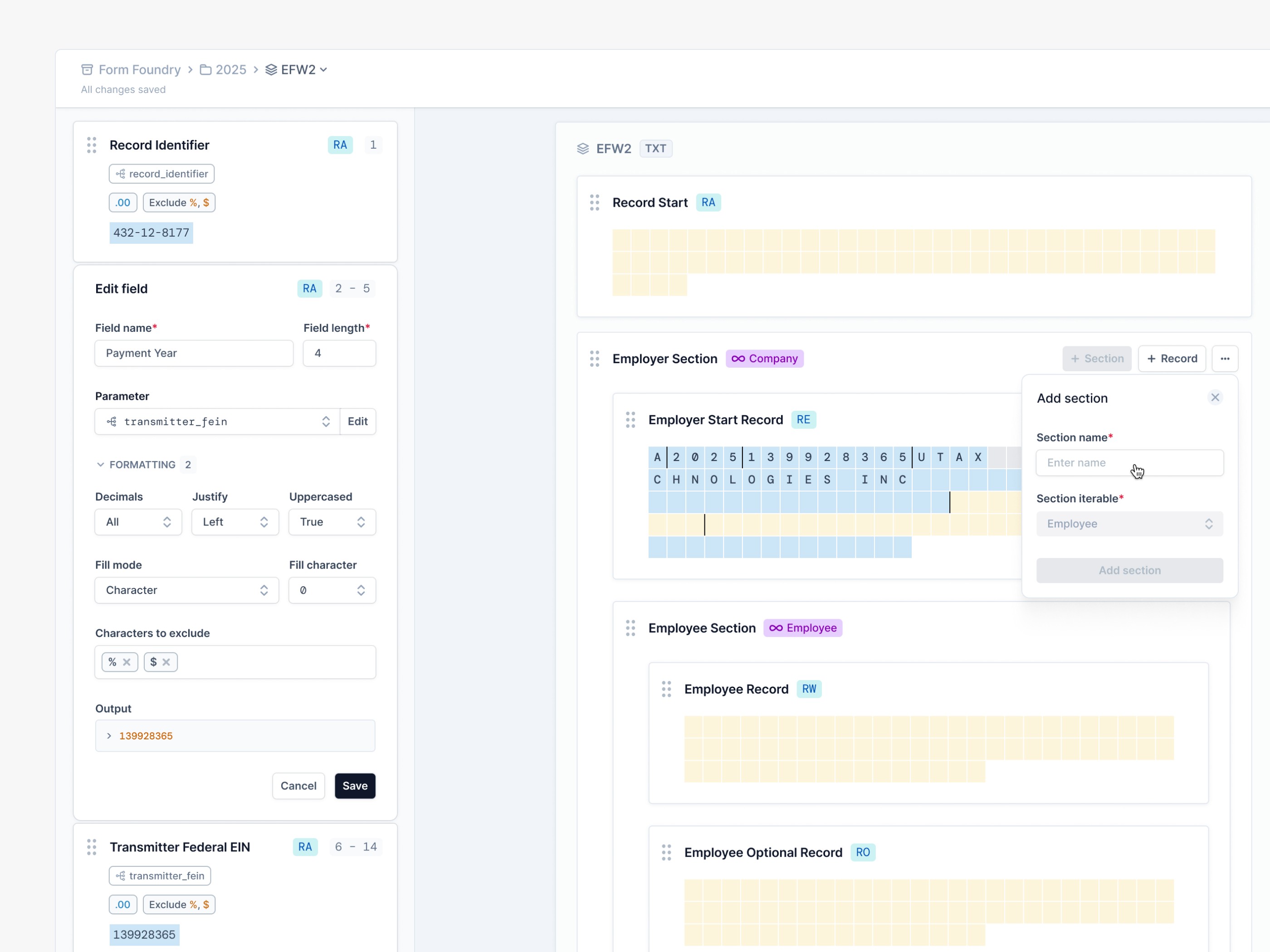
Form Foundry (part of Admin)
One of the most complex sub-projects was Form Foundry — a new tool for creating and maintaining U.S. tax forms (PDF and fixed-width).
Before, this process was handled entirely by developers familiar with strict tax form formatting rules.
I helped design a visual no-code editor that made it possible for internal teams to build, preview, and validate tax forms directly — combining precise data mapping with intuitive UX.
The result: the tool drastically reduced dependency on engineers and allowed operations to manage tax forms independently.
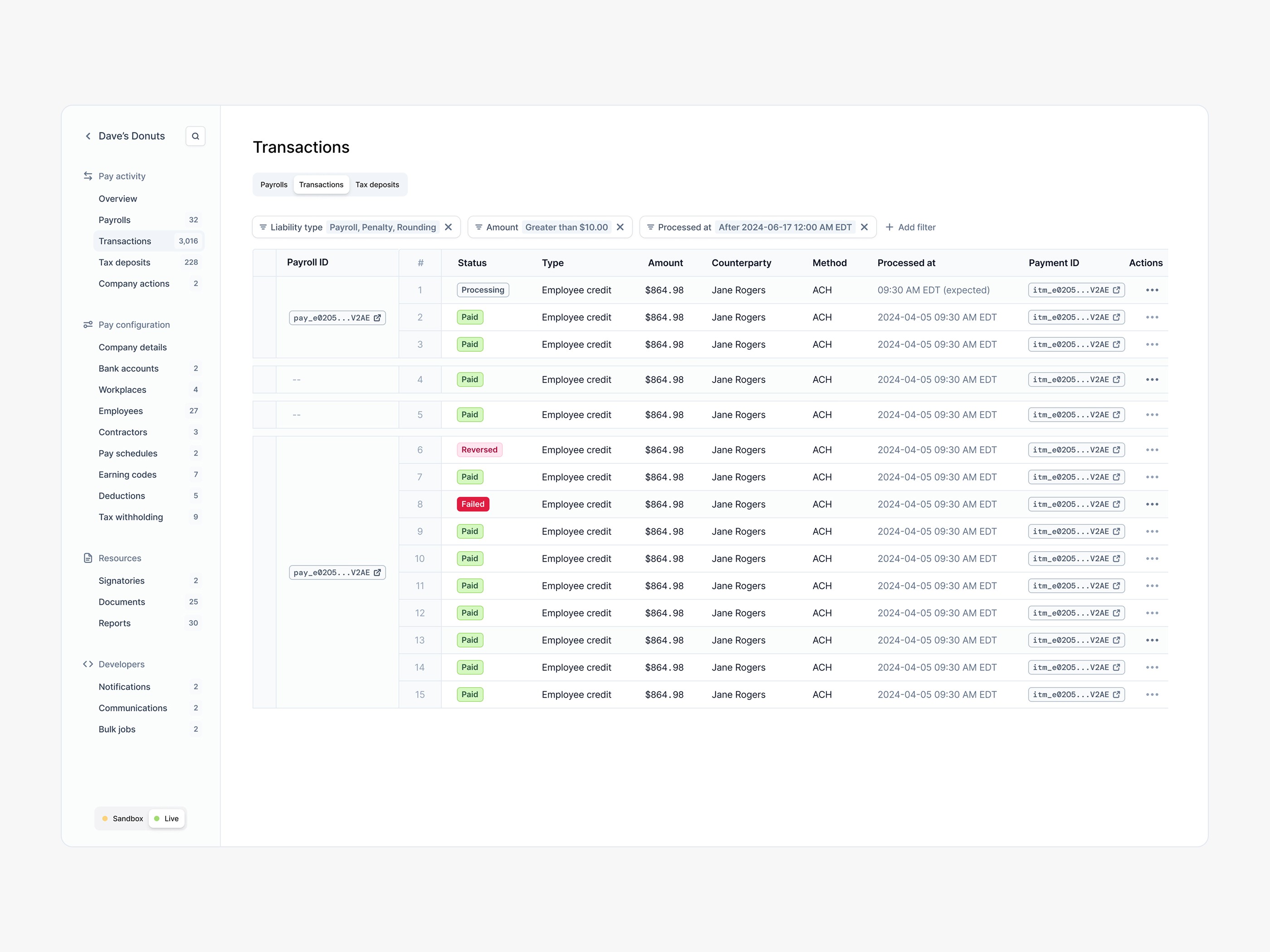
Console — Client-facing payroll dashboard
Console is what businesses use to run payrolls, manage employees, and track taxes.
It’s data-heavy but needs to feel clean and fast for users who spend hours inside it.
My work included optimising everyday interactions - improving filters, tables, and data-viewing patterns, while keeping everything aligned with the evolving design system.
I also contributed to new features, collaborating closely with developers to ensure consistent logic and behaviour across modules.
Design System
The design system existed, but it wasn’t ideal.
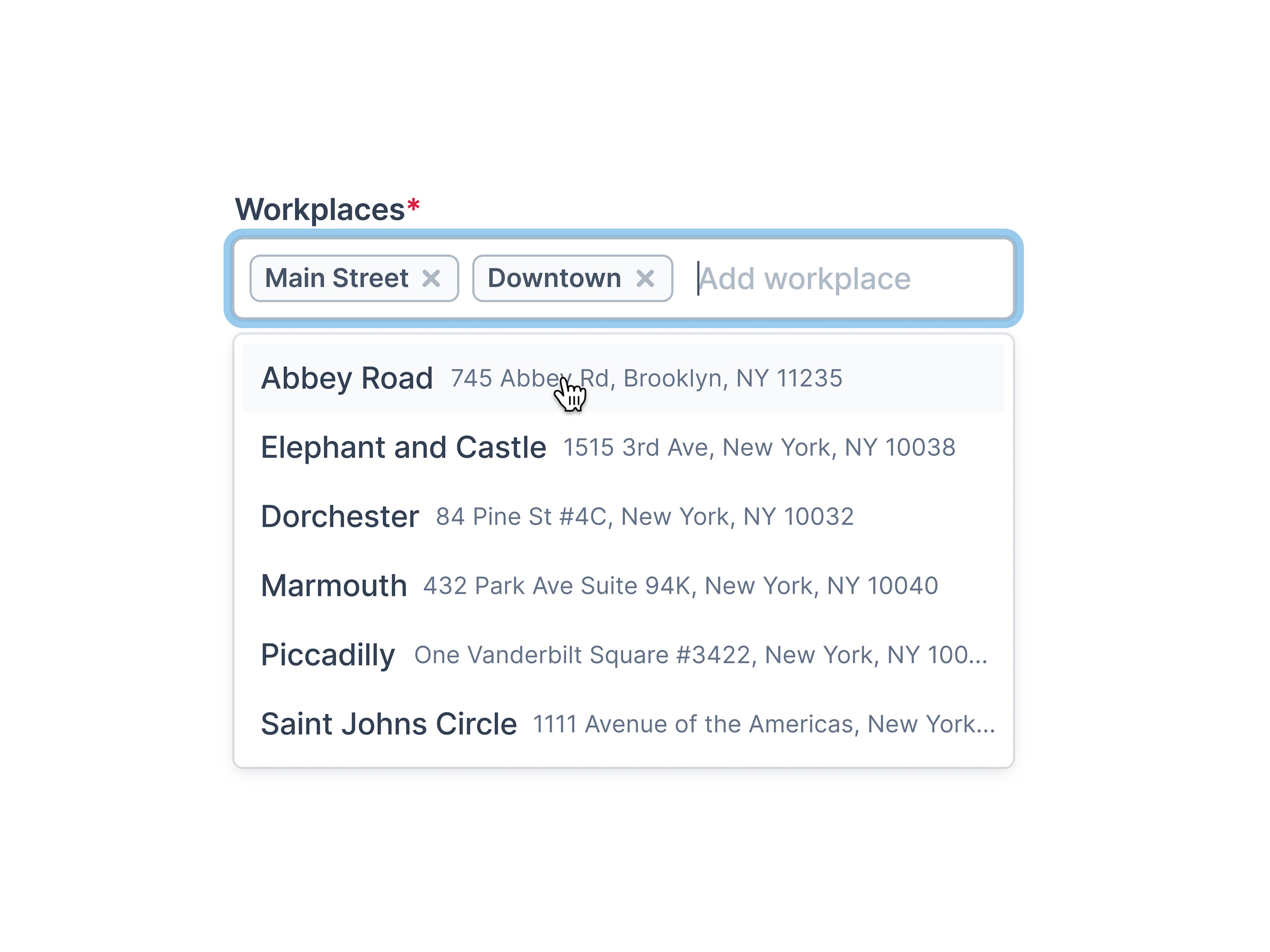
I spent time refining the foundations: fixing spacing, colors, and components, unifying how patterns behaved across Admin and Console.
This helped establish better communication between design and development, allowing both sides to move faster and reduce inconsistencies in production.
Collaboration & Process
Most of our direct feedback came from internal users — the ops and support teams working inside the Admin tool daily. Their input helped us catch friction points fast and iterate continuously.
For the client-facing Console, product managers and analysts gathered data and feedback from companies using the payroll platform. As designers, we stayed close to those insights — reviewing findings, discussing usability issues, and adjusting designs accordingly.
This setup let us balance quick iteration on internal tools with more data-driven improvements on the customer side.
Impact
Improved clarity in internal setup workflows — redesigned key admin flows to make company setup faster and more intuitive for internal teams.
Introduced Form Foundry, lowering the entry barrier for tax-form creation — enabled non-developers to build and edit forms visually, reducing reliance on engineers.
Redefined visual and UX patterns across Admin and Console, aligning legacy screens with new components and adding functionality to embedded modules used by partner businesses.
Enhanced collaboration between design and engineering through consistent UI foundations and clearer component logic, speeding up development cycles.
Reflection
Working on Check taught me how to design inside complex systems — where every decision touches data, regulations, and real people’s work. I learned to move fast without losing structure, to find clarity in constraints, and to translate highly technical problems into interfaces that just make sense.